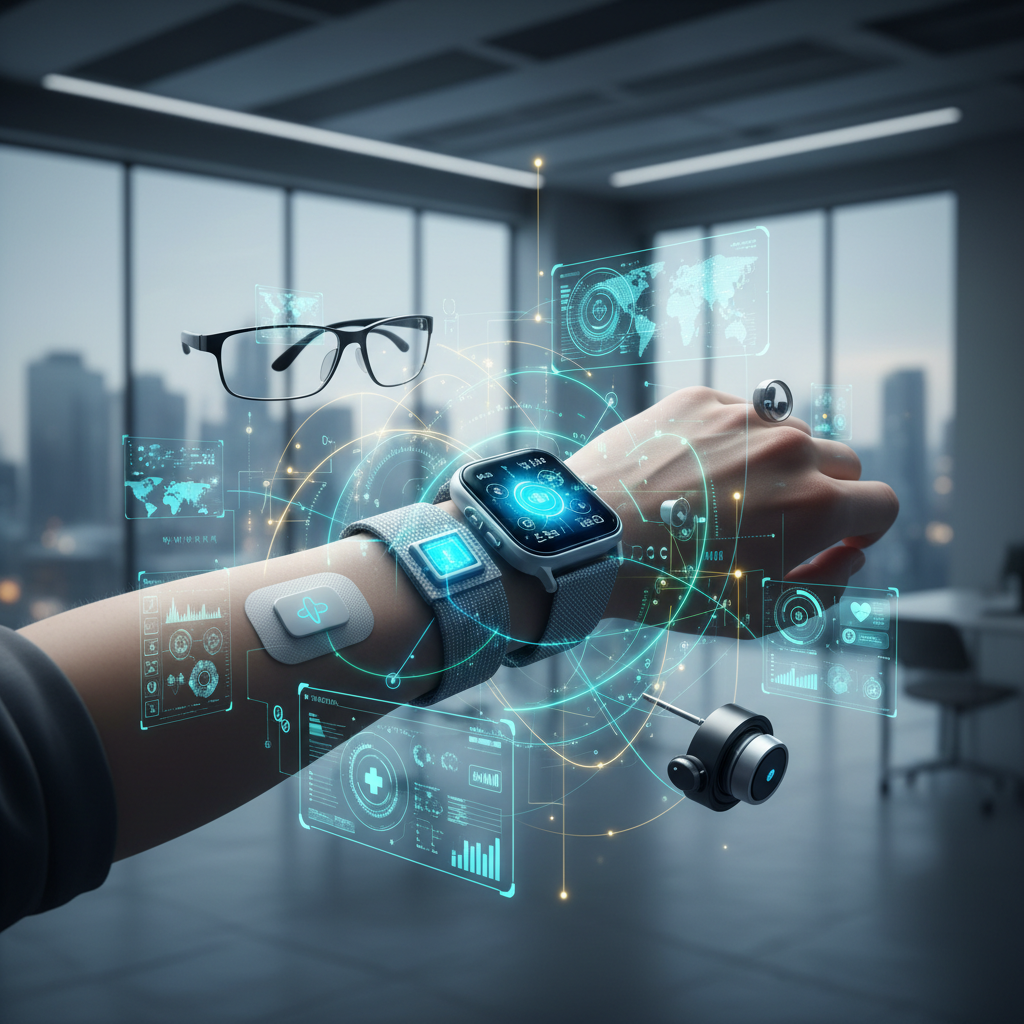
In our increasingly automated world, the promise of the smart home is alluring: convenience, efficiency, and seamless control. From managing your lights with a voice command to monitoring energy consumption with a tap on your phone, smart plugs are often the unsung heroes enabling this connectivity. But what happens when these miniature marvels of automation meet the robust, yet sometimes finicky, world of Uninterruptible Power Supplies (UPS)? A seemingly straightforward setup, like connecting a Shelly Smart Plug to an APC UPS, can sometimes unveil a surprising array of issues, leaving users puzzled and potentially compromising their entire smart ecosystem. This article, crafted from years of hands-on experience and deep dives into power management, will explore the intricate relationship between smart plugs and UPS systems, offering expert insights to ensure your smart home remains resilient, efficient, and truly smart.
We'll delve into the often-overlooked technical nuances, from power waveforms to inrush currents, and equip you with the knowledge to troubleshoot common problems, optimize your setup for energy efficiency, and protect your valuable electronics, including critical health technologies. Beyond just identifying potential conflicts, we'll guide you through best practices for system design, component selection, and proactive maintenance, demonstrating how a well-understood power infrastructure is fundamental to achieving both productivity and sustainability in your modern living space.
The Rise of Smart Home Power Management: Convenience Meets Complexity
The ubiquity of smart home devices has fundamentally reshaped our interaction with our living spaces. Smart plugs, in particular, have become a cornerstone for automating 'dumb' appliances, offering capabilities like remote control, scheduling, and crucially, energy monitoring. This newfound control promises not just convenience but also tangible benefits for productivity and sustainable living. However, beneath the surface of seamless integration lies a complex interplay of electrical engineering principles, where seemingly minor incompatibilities can lead to significant disruptions.
The Allure of Automation: What Smart Plugs Offer
Smart plugs are more than just fancy on/off switches. Modern iterations, like those from Shelly, TP-Link Kasa, or Philips Hue, often incorporate advanced features:
- Energy Monitoring: Real-time and historical data on power consumption, empowering users to identify energy hogs and make informed decisions for sustainability. A 2023 study by Parks Associates indicated that over 30% of smart home device owners prioritize energy management features, highlighting this growing demand.
- Scheduling and Timers: Automating device operation to optimize energy use (e.g., turning off chargers overnight, running dishwashers during off-peak hours).
- Integration with Smart Home Hubs: Becoming part of larger automation routines, triggered by sensors, voice commands, or other connected devices.
- Remote Control: The ability to manage devices from anywhere, enhancing security and peace of mind.
For biMoola.net readers focused on productivity, imagine automating your office equipment to power down precisely when your workday ends, or for health tech enthusiasts, ensuring a precise charging schedule for wearables. The possibilities are extensive.
The Silent Guardian: Why UPS Systems are Crucial
While smart plugs manage the *flow* of power, Uninterruptible Power Supplies (UPS) safeguard the *continuity and quality* of that power. UPS systems are vital for protecting sensitive electronics from power fluctuations, surges, sags, and complete outages. For anyone working from home, running critical AI hardware, or relying on health monitoring devices, a UPS is not a luxury, but a necessity.
- Data Protection: Preventing data corruption and loss during unexpected shutdowns.
- Hardware Longevity: Shielding delicate components from damaging power spikes and brownouts.
- Operational Continuity: Maintaining power to essential devices during brief outages, allowing for graceful shutdowns or continued operation.
- Power Conditioning: Filtering out electrical noise and stabilizing voltage, which is crucial for sensitive electronics.
The intersection of these two technologies — smart plugs for control and UPS for protection — should ideally create a robust, resilient smart home. Yet, as our news source hints, this marriage isn't always harmonious.
Understanding the Core Conflict: When Smart Plugs Meet UPS
The reported 'issues' when a Shelly Smart Plug was connected to an APC UPS are not isolated incidents. They represent a broader category of compatibility challenges that arise when different power management technologies interact. These issues often stem from fundamental differences in how these devices handle and condition electrical power.
Waveform Woes: Simulated Sine Wave vs. Pure Sine Wave
One of the most common culprits behind UPS-smart plug (and other electronics) incompatibility is the type of AC waveform produced by the UPS during battery operation. Most consumer-grade, affordable UPS units, often line-interactive models like many APC Back-UPS series, output a simulated sine wave (or stepped approximation) when running on battery. This waveform is often sufficient for older, less sensitive devices with linear power supplies.
However, many modern electronics, especially those with Active Power Factor Correction (APFC) like advanced smart plugs, gaming PCs, and some medical devices, are designed to operate on a pure sine wave. When fed a simulated sine wave, these devices can:
- Produce Audible Buzzing: Due to inefficient power conversion.
- Generate Excess Heat: Leading to premature wear and potential damage.
- Exhibit Erratic Behavior: Such as unexpected shutdowns, reboots, or incorrect energy readings from the smart plug.
- Refuse to Operate: Some devices might simply not turn on or function correctly, interpreting the simulated sine wave as unstable power.
A pure sine wave UPS, typically more expensive and found in 'online' or some 'line-interactive' professional models, outputs a clean, continuous waveform identical to utility power, ensuring maximum compatibility and protection for all connected devices.
Overload and Inrush Current: Beyond the Rated Watts
It’s easy to simply check if a device's running wattage is below the UPS's capacity. But power consumption isn't always constant. Many devices, particularly those with motors (refrigerators, fans) or switching power supplies (computers, some LED drivers, smart plugs themselves), can draw a significantly higher "inrush current" for a fraction of a second when first powered on. This momentary spike can be several times higher than the steady-state operating current.
A UPS, especially when on battery, might interpret this inrush current as an overload, triggering its protection circuits and shutting down the output, even if the continuous load is well within its rating. Smart plugs themselves, especially those designed for high-current appliances or with complex internal electronics for energy monitoring, can have their own inrush characteristics that conflict with a UPS's sensitivity thresholds.
Communication Interference and EMI
While less common, electromagnetic interference (EMI) can also play a role. UPS units, especially during battery operation or switching, can generate a certain level of electrical noise. Smart plugs rely on wireless communication (Wi-Fi, Zigbee, Z-Wave) to function. In rare cases, EMI from a UPS or the internal switching of the smart plug itself could interfere with wireless signals, leading to dropped connections, unreliable control, or inaccurate sensor readings.
Designing for Resilience: Best Practices for Smart Power Integration
Preventing these issues requires a thoughtful approach to system design, prioritizing compatibility, capacity, and power quality. Based on extensive experience, here are crucial considerations:
Selecting the Right UPS for Your Smart Home Arsenal
Not all UPS units are created equal. For a smart home integrating modern electronics and critical health devices, consider these factors:
- Pure Sine Wave Output: This is paramount for compatibility with APFC power supplies found in many smart plugs, PCs, and medical devices. While more expensive, it eliminates many potential issues and extends the life of connected equipment. Manufacturers like CyberPower and Eaton offer pure sine wave options even in their line-interactive series.
- Capacity (VA and Watts): Always size your UPS with ample headroom. Calculate the total wattage of all devices you intend to connect, then add a 20-30% buffer to account for inrush currents and future expansion.
- Runtime Requirements: How long do you need devices to run? This dictates battery size. For graceful shutdowns, a few minutes might suffice. For continuous operation of essential health tech, longer runtimes are crucial.
- Communication Ports: Many UPS units offer USB or network ports for monitoring and controlled shutdowns, which can integrate with smart home systems or NAS devices.
Smart Plug Placement and Capacity Considerations
Strategic placement and understanding the limits of your smart plugs are vital:
- Match Plug to Load: Ensure the smart plug's maximum current/wattage rating exceeds the device it controls, even accounting for inrush current. Don't use a standard smart plug for a space heater or a mini-fridge unless explicitly rated for it.
- Avoid Overloading UPS Outlets: Many UPS units have both surge-protected and battery-backed outlets. Distribute your load wisely. Don't plug multiple high-draw devices into a single smart plug, and avoid daisy-chaining.
- Consider Direct Connection for Critical Devices: For highly sensitive or mission-critical devices (e.g., medical alert systems, advanced AI computing, sleep apnea machines), consider plugging them directly into a pure sine wave UPS outlet, bypassing the smart plug entirely, especially if energy monitoring isn't strictly necessary.
Firmware Updates and Compatibility Checks
The digital nature of smart devices means that software plays a significant role in hardware compatibility. Regularly:
- Update Smart Plug Firmware: Manufacturers frequently release updates to improve performance, add features, and enhance compatibility.
- Check UPS Software: Ensure your UPS management software (if applicable) is up-to-date.
- Consult Compatibility Lists: Before purchasing, check the manufacturer's websites (both UPS and smart plug) for any known incompatibilities or recommended pairings. Forums like the one from our source can also be invaluable for real-world user experiences.
Beyond the Basics: Advanced Power Monitoring and Optimization
Once you’ve established a stable foundation, smart plugs can evolve from simple controllers to sophisticated tools for optimizing energy use, protecting specialized equipment, and fostering a sustainable lifestyle.
Leveraging Smart Plugs for Energy Efficiency
The energy monitoring capabilities of smart plugs are a goldmine for sustainability-conscious users. By observing real-time consumption and historical trends, you can:
- Identify Phantom Loads (Vampire Power): Devices in standby mode can still draw significant power. A 2022 report by the U.S. Energy Information Administration (EIA) estimated that 'vampire drain' accounts for 5-10% of residential electricity use. Smart plugs can reveal these culprits, allowing you to automatically cut power when not in use.
- Optimize Usage Patterns: Schedule devices to operate during off-peak electricity hours, or link them to smart home routines that activate only when necessary.
- Track Cost Savings: Many smart plug apps can estimate electricity costs, providing a tangible incentive for energy-saving behaviors.
Protecting Sensitive Health Tech and AI Devices
For biMoola.net's focus on health technologies and AI, stable power is non-negotiable. Smart plugs, when used judiciously with a pure sine wave UPS, can extend protection to:
- Medical Devices: CPAP machines, oxygen concentrators, or personal emergency response systems often require stable, clean power for reliable operation and data integrity. Unexpected power drops or surges could disrupt critical functions or damage sensitive electronics.
- Wearables and Health Monitors: Ensuring these devices charge reliably without interruption or potential overvoltage, prolonging their lifespan and ensuring readiness.
- AI Computing Hardware: Powerful GPUs and processors used for local AI inference or data analytics are highly sensitive to power quality. A clean power supply from a pure sine wave UPS, potentially monitored by a smart plug for usage metrics, ensures optimal performance and prevents costly hardware damage.
Reducing E-waste Through Smart Power Management
A key pillar of sustainable living is extending the lifespan of electronics. Unstable power is a significant contributor to premature device failure. By investing in a high-quality UPS and intelligently deploying smart plugs, you contribute to:
- Device Longevity: Protecting components from wear and tear caused by power fluctuations.
- Reduced Consumption: Less frequent replacement of devices means less manufacturing, fewer resources consumed, and less electronic waste. The World Health Organization (WHO) has highlighted the growing global e-waste problem, making responsible consumption and device longevity increasingly important.
Troubleshooting Common Smart Plug-UPS Issues
Despite best practices, issues can still arise. Here's a structured approach to diagnosing and resolving problems:
Diagnostics for Unexpected Shutdowns and Instability
- Isolate the Problem: Unplug the smart plug from the UPS and plug the device directly into the UPS. If the issue resolves, the smart plug is likely the culprit or incompatible. If the problem persists, the UPS or the connected device itself may be at fault.
- Check UPS Load and Waveform: Verify that the total load (including inrush) is well within the UPS's capacity. Confirm if your UPS outputs a pure sine wave. If not, this is the most probable cause of incompatibility with sensitive smart plugs.
- Test Smart Plug Independently: Plug the smart plug (with its connected device) directly into a wall outlet, bypassing the UPS. If it works fine, the issue is definitely related to the UPS interaction.
- Firmware Check: As mentioned, ensure both devices have the latest firmware.
- Review Smart Plug Energy Settings: Some smart plugs have configurable overload protection or voltage thresholds that might be too sensitive for a UPS's output during battery mode.
The Role of Logs and Manufacturer Support
Modern UPS units often keep logs of events like power outages, voltage fluctuations, and overloads. Accessing these logs (via a connected computer or network interface) can provide critical diagnostic information, such as when an overload occurred or if the UPS frequently switched to battery mode due to perceived power issues. Similarly, smart plug apps often log connection status and power anomalies.
When all else fails, don't hesitate to contact the manufacturer's support. Provide them with specific model numbers, firmware versions, and a detailed description of the issue. They may have specific compatibility advisories or advanced troubleshooting steps.
Expert Analysis: Our Take on the Evolving Smart Power Landscape
The incident with the Shelly Smart Plug and APC UPS is more than just a minor technical glitch; it's a microcosm of the larger challenges facing the smart home ecosystem. As AI and IoT proliferate, the expectation is for devices to work seamlessly together, yet the underlying power infrastructure often remains an afterthought. Our analysis at biMoola.net suggests a critical need for consumers and manufacturers alike to elevate the discussion around power quality and compatibility.
On the consumer side, the days of simply plugging anything into anything are over. A 'smart' home demands 'smart' planning, particularly concerning its power backbone. The investment in a pure sine wave UPS, while initially higher, often pays dividends in device longevity, operational stability, and peace of mind, especially for critical applications like health monitoring or intensive AI computing. This isn't just about preventing malfunctions; it's about optimizing performance and ensuring data integrity – a paramount concern for productivity and health technologies.
From the industry perspective, there's a clear imperative for greater transparency and standardization. Manufacturers of smart plugs and UPS systems should provide clearer compatibility guidelines, perhaps even adopting a universal 'smart power compatibility' rating. The proliferation of devices with APFC without explicit warnings about simulated sine wave UPS incompatibility creates a frustrating user experience and undermines trust in smart home technology. As we push towards more sustainable living, understanding the power footprint and requirements of our devices becomes even more crucial, extending beyond energy consumption to the resilience and interoperability of the entire system. The future of smart living hinges not just on innovative features, but on the robustness of its foundational power infrastructure.
Key Takeaways
- Prioritize Pure Sine Wave UPS: For sensitive electronics, especially those with APFC or critical health tech, a pure sine wave UPS is essential for compatibility and protection.
- Mind the Current: Always consider both continuous wattage and momentary inrush current when pairing devices with a UPS. Give yourself plenty of headroom.
- Regularly Update Firmware: Keep both your smart plugs and UPS systems updated to ensure optimal performance and compatibility.
- Educate and Isolate: Understand your devices' power requirements and troubleshoot by isolating components to pinpoint the source of issues.
- Smart Power, Sustainable Living: Leveraging smart plugs for energy monitoring and pairing them with reliable UPS systems not only boosts productivity and protects valuable tech but also contributes significantly to reducing energy waste and prolonging device lifespans.
Statistics on Smart Home Power and Device Protection
Understanding the landscape of smart home adoption and power reliability is crucial. Here's a glimpse into relevant data:
| Metric/Source | Year/Source | Data Point/Observation | Implication for Smart Homes |
|---|---|---|---|
| Smart Home Device Penetration | Statista (2023) | Approximately 49.6% of U.S. households own at least one smart home device. Projected to reach 60% by 2027. | Increasing complexity and interdependence of home electronics, making reliable power more critical. |
| Impact of Power Outages | Eaton (2020 Study) | Power outages cost U.S. economy an estimated $150 billion annually. | Direct financial losses, but also productivity loss and potential damage to smart home infrastructure. |
| Energy Monitoring Device Adoption | Parks Associates (2023) | Over 30% of smart home device owners prioritize energy management features. | Growing user demand for tools like smart plugs to manage and optimize energy consumption for sustainability. |
| Cause of Electronic Device Failure | Consumer Reports (General) | Power surges and fluctuations are among the top causes of premature failure for household electronics. | Highlights the essential role of UPS and surge protectors in extending device lifespan and reducing e-waste. |
| Global E-waste Volume | UN E-waste Monitor (2020) | 53.6 million metric tons of e-waste generated globally; only 17.4% formally recycled. | Emphasizes the sustainability benefit of protecting devices with UPS systems and smart power management to extend their utility. |
Q: Why would a smart plug cause issues with a UPS when it works fine in a wall outlet?
A: The primary reason is often the difference in power waveform. Wall outlets provide a pure sine wave, while many affordable UPS systems (especially line-interactive models) output a simulated or stepped sine wave when on battery. Modern smart plugs, particularly those with sophisticated electronics like Active Power Factor Correction (APFC) for energy monitoring, are designed for pure sine wave input. They might interpret the simulated sine wave from a UPS as unstable power, leading to erratic behavior, buzzing, overheating, or even refusal to operate. Additionally, the smart plug's own inrush current or power conditioning might conflict with the UPS's sensitivity thresholds during power transitions.
Q: Can using a smart plug on a UPS reduce the UPS's battery runtime?
A: Yes, potentially. While a smart plug itself usually consumes minimal power (a few watts), its internal electronics and Wi-Fi/Zigbee module contribute to the overall load on the UPS. If you're running multiple smart plugs, or if the smart plug is inefficiently converting power from a simulated sine wave, this incremental draw can slightly reduce the UPS's battery runtime. The more significant impact often comes from the devices *connected* to the smart plugs. It's crucial to accurately calculate the total wattage of all devices connected to the UPS, including the smart plugs themselves, to estimate realistic runtime.
Q: Are there specific brands or types of smart plugs that are more compatible with UPS systems?
A: Compatibility isn't strictly brand-specific but rather depends on the internal power supply design of the smart plug and the output waveform of the UPS. Generally, smart plugs with simpler designs might tolerate a simulated sine wave better. However, for guaranteed compatibility, especially with features like energy monitoring, it's always recommended to pair *any* smart plug with a pure sine wave UPS. Brands like CyberPower and APC offer pure sine wave UPS models (often labeled as 'Smart-UPS' or 'Pure Sine Wave'). Look for smart plugs with robust internal components, but prioritize the UPS's output quality first.
Q: How can I tell if my UPS provides a pure sine wave output?
A: The easiest way is to check the product specifications and documentation provided by the manufacturer. Look for terms like "pure sine wave output," "true sine wave," or "sine wave." If these terms are absent, or if it mentions "stepped approximation," "simulated sine wave," or "modified sine wave," then it does not provide a pure sine wave. Pure sine wave UPS units are typically more expensive and often found in 'online' or higher-end 'line-interactive' models. If you're unsure, consulting the manufacturer's website or customer support for your specific UPS model is the best course of action.
Sources & Further Reading
- Parks Associates. (2023). Smart Home Ecosystem & Consumer Demands.
- U.S. Energy Information Administration (EIA). (2022). FAQs: What is vampire power?. Retrieved from eia.gov
- APC by Schneider Electric. FAQ: What is the difference between a Sine wave, Stepped Approximation to a Sine wave and Square wave output?. Retrieved from apc.com
- CyberPower Systems. Pure Sine Wave vs. Simulated Sine Wave. Retrieved from cyberpowersystems.com
- Eaton. (2020). The Cost of Power Outages.
- United Nations E-waste Monitor. (2020). Global E-waste Statistics.
Disclaimer: This article is for informational purposes only and does not constitute medical advice. Please consult a qualified healthcare professional for any health concerns or before making any decisions related to your health or medical devices.
", "excerpt": "Discover how to prevent smart plug & UPS conflicts. Learn about power waveforms, inrush current, and best practices for a resilient, energy-efficient smart home." } ```
Comments (0)
To comment, please login or register.
No comments yet. Be the first to comment!