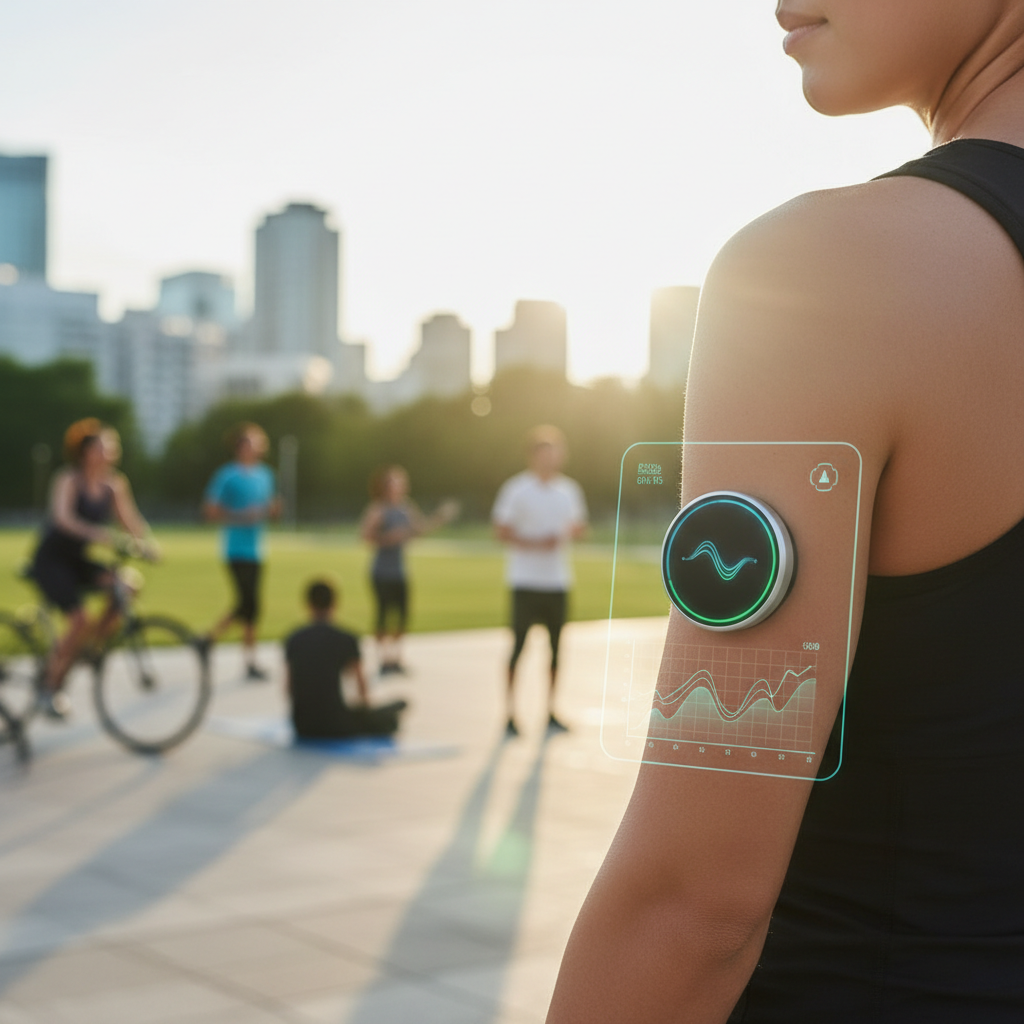
The world of hybrid fitness races, epitomized by HYROX, has exploded in popularity, pushing athletes to new limits by combining challenging functional movements with endurance running. As participants strive for personal bests and competitive edge, the quest for precise performance data becomes paramount. Enter the Apple Watch – a sophisticated wearable device with immense potential to log, analyze, and ultimately enhance your HYROX journey. However, the diverse nature of a HYROX race – alternating between 1km runs and eight distinct functional workout stations – poses a unique challenge for standard fitness tracking.
As senior editorial writer for biMoola.net, I've spent countless hours dissecting the intersection of AI, productivity, and health technologies. From personal experience tackling hybrid events to poring over the latest advancements in wearable tech, I understand the frustration of staring at your watch, wondering which workout mode will truly capture the essence of your grueling effort. This article cuts through the confusion, offering an expert-level guide to leveraging your Apple Watch for comprehensive HYROX tracking, whether you're training for your first race or aiming to shave seconds off your personal record.
You'll learn not just *which* workout settings to use, but *why* they matter, how to optimize your watch for race day, and critically, how to interpret your data for actionable insights. We’ll delve into specific watchOS features, discuss data accuracy, and provide practical, actionable advice that transitions from the theoretical to the sweat-soaked reality of the arena.
Understanding the HYROX Challenge: More Than Just a Race
Before we dive into the intricacies of Apple Watch settings, it’s crucial to grasp the multi-faceted demands of a HYROX race. Since its inception in 2017, HYROX has rapidly grown into a global phenomenon, captivating athletes with its unique blend of strength, endurance, and grit. A standard HYROX event consists of eight 1km runs, each followed by a different functional exercise station:
- SkiErg
- Sled Push
- Sled Pull
- Burpee Broad Jumps
- Rowing
- Farmers Carry
- Sandbag Lunges
- Wall Balls
This structure presents a significant tracking dilemma. A pure 'Outdoor Run' mode won't adequately capture the exertion of a Sled Push or Wall Balls. Conversely, a 'Functional Strength Training' mode will miss crucial running metrics like pace, distance, and split times. The challenge lies in accurately logging the rapid, high-intensity transitions and the distinct physiological demands of each segment.
Physiologically, HYROX is a masterclass in metabolic versatility. Athletes repeatedly shift between aerobic dominance (running) and anaerobic bursts (stations). This constant switching taxes both cardiovascular endurance and muscular stamina, making precise heart rate monitoring and energy expenditure tracking invaluable for performance analysis and strategic pacing. For instance, a 2023 study published in the Journal of Strength and Conditioning Research highlighted the unique physiological demands of hybrid fitness events, emphasizing the need for comprehensive data capture to optimize training protocols.
The Apple Watch Advantage: Why It's Your Ideal HYROX Companion
The Apple Watch, particularly recent models like the Apple Watch Series 7, 8, and the rugged Apple Watch Ultra, has evolved into a formidable fitness tracking tool. Its strengths for HYROX lie in several key areas:
- Advanced Sensor Suite: Equipped with an optical heart sensor (and electrical heart sensor in newer models), GPS, accelerometer, and gyroscope, it can provide robust data on heart rate, pace, distance, cadence, and movement patterns.
- Robust Workout App: The native Workout app offers a variety of workout types, and crucially, has introduced features that directly address multi-sport challenges.
- Seamless Ecosystem Integration: Data automatically syncs with Apple Health and the Fitness app, providing a holistic view of your health and training. This allows for easy export to third-party platforms like Strava or TrainingPeaks for deeper analysis.
- Durability and Water Resistance: With water resistance ratings typically up to 50 meters, sweat, water stations, and even a quick post-race rinse pose no threat. The Apple Watch Ultra offers enhanced durability, ideal for the demanding environment of a HYROX race.
For high-intensity, fluctuating efforts like HYROX, heart rate accuracy is paramount. While wrist-based optical sensors can sometimes lag during rapid changes in intensity compared to chest straps, advancements in Apple's algorithms and sensor technology have significantly improved reliability. A 2020 Stanford University study, for example, found the Apple Watch to be among the most accurate wrist-worn devices for heart rate monitoring across various exercise types, though noting some variability at very high intensities.
Navigating Apple Watch Workouts: Choosing Your HYROX Strategy
This is where the core confusion often lies. The traditional approach of picking a single workout type falls short for HYROX. Let’s break down the options and highlight the game-changer.
The Default Options: HIIT, Mixed Cardio, Functional Training, Running
- HIIT (High-Intensity Interval Training): Good for tracking calorie burn and heart rate spikes during intense, short bursts. However, it lacks specific metrics for either running or distinct functional movements. It won't tell you your sled push distance or your Wall Ball reps.
- Mixed Cardio: This is a generic catch-all. It tracks heart rate, calories, and time, but provides minimal specific insights into the nature of your activity. Think of it as a broad stroke, not a detailed portrait.
- Functional Strength Training: Better suited for the stations. It tracks heart rate, duration, and active calories, and in newer watchOS versions, can even estimate reps for certain exercises. However, it completely ignores running metrics.
- Outdoor Run: Excellent for all your running needs – GPS tracking, pace, distance, elevation, and cadence. But during the functional stations, it would simply log you as 'paused' or moving very slowly, skewing your overall pace and failing to capture the unique energy expenditure.
- Switching Between Run + Functional manually: While theoretically possible, manually pausing one workout and starting another eight times (plus the initial start) during a high-stakes race is impractical, distracting, and highly prone to error. You'd lose critical transition time data and face significant cognitive load.
The Custom Workout Solution: Building a HYROX-Specific Profile
While Apple's Workout app doesn't allow you to create a *new* named workout type called 'HYROX Race,' it *does* allow extensive customization within existing workout types and, crucially, through its Multisport mode. For serious athletes, this is where the magic happens.
Multisport Mode: The Game Changer for Race Day
Introduced with watchOS 9 in 2022, the Multisport workout type is precisely what HYROX athletes need. Designed originally for triathlons, it allows for seamless transitions between different activity types within a single workout session. The Apple Watch Ultra and newer Series models offer enhanced GPS and longer battery life, making them particularly well-suited for this demanding mode.
How to Set Up Multisport for HYROX:
- Create a Custom Multisport Workout: Open the Workout app on your Apple Watch. Scroll down and tap the '+' button, then select 'Multisport'.
- Configure Stages: You can set up a custom sequence of activities. For HYROX, you'll want to alternate between 'Outdoor Run' and 'Functional Strength Training' or 'Mixed Cardio'. For maximum specificity, I recommend 'Outdoor Run' for the 1km segments and 'Functional Strength Training' for the stations.
- Auto-Detect Transitions (Optional but Recommended): For some multi-sport events, the watch can auto-detect transitions. However, for the rapid, often distinct shifts in HYROX, manual switching is usually more precise. You can configure your Multisport workout to transition by pressing the Action button (on Ultra) or the side button + Digital Crown simultaneously. Practicing this in training is crucial.
- Customize Displays: Within your custom Multisport workout, you can also customize the metrics displayed for each stage. For runs, prioritize pace, distance, and heart rate. For functional stations, focus on heart rate, duration, and calories.
By using Multisport, your watch records a single, contiguous workout, providing continuous heart rate data and seamlessly integrating the GPS-tracked running segments with the time-based, exertion-focused functional stations. This gives you a much more accurate and holistic view of your HYROX performance.
Pre-Race Preparation: Optimizing Your Watch Settings and Training Data
Effective HYROX tracking begins long before race day. Proper watch setup and understanding your baseline data are critical.
HR Zone Setup and VO2 Max Calibration
- Heart Rate Zones: Ensure your heart rate zones are accurately set in the Health app (Health App > Browse > Heart > Heart Rate > Heart Rate Zones). While default zones are based on age, a maximum heart rate test (or using a formula like Karvonen) can provide more personalized and accurate zones, which are vital for training and race pacing. Training within specific zones helps target different physiological adaptations.
- VO2 Max Calibration: The Apple Watch estimates your VO2 Max (a key indicator of aerobic fitness) based on your outdoor runs. To ensure accuracy, consistently log outdoor runs at varying paces and durations. A higher VO2 Max generally correlates with better endurance performance, and tracking its trend can indicate training effectiveness.
Custom Metrics and Display Configuration
On race day, you need glanceable information, not a scrolling menu. Customize your workout displays:
- Running Segments: Prioritize current pace, average pace, distance, and heart rate. You might also add lap pace if you plan to manually lap each kilometer.
- Functional Stations: Focus on elapsed time for the current station, current heart rate, and total workout time. Active calories can also be useful.
- Action Button (Ultra): Map the Action button to 'Next Segment' for rapid transitions in Multisport mode, saving precious seconds and mental effort.
Race Day Execution: Real-Time Tracking and Data Integrity
The best setup is useless without flawless execution. Here’s how to maximize data integrity during your HYROX race:
- Charge Fully: Ensure your Apple Watch is charged to 100%. While newer models have excellent battery life, a HYROX race can be long, especially if you're aiming for a personal best requiring continuous tracking. Consider enabling Low Power Mode to conserve battery without sacrificing key metrics like heart rate and GPS, as detailed by Apple Support.
- Secure Fit: Wear your watch snugly on your wrist, about two finger-widths above your wrist bone. A loose fit can lead to inaccurate heart rate readings, particularly during high-impact movements like Burpee Broad Jumps or dynamic efforts like the Sled Push.
- Start Early: Begin your Multisport workout a minute or two before the gun, especially if relying on auto-detection, to ensure GPS lock and initial heart rate stabilization.
- Manual Transitions: While Multisport can auto-detect, the precise, often short nature of HYROX transitions means manual switching between 'Outdoor Run' and 'Functional Strength Training' is generally more reliable. Practice pressing the Action Button (Ultra) or the side button + Digital Crown combination swiftly and accurately during your training sessions.
- Stay Hydrated & Fueled: While not directly watch-related, maintaining focus through proper hydration and fueling prevents errors in tracking. A momentary lapse in concentration can lead to missed transitions.
Post-Race Analysis: Unlocking Performance Insights from Your Data
The race might be over, but the work isn't. Your Apple Watch data is a goldmine for understanding your performance and planning future improvements.
- Fitness App Deep Dive: In the Apple Fitness app on your iPhone, navigate to your HYROX Multisport workout. You'll see detailed breakdowns for each segment:
- Run Segments: Analyze your pace per kilometer, cadence, elevation changes, and heart rate zones. Did your pace drop significantly in later runs?
- Functional Stations: Review the duration and average heart rate for each station. Which stations spiked your heart rate the most? Where did you spend the longest? This can highlight areas for strength or technique improvement.
- Overall Metrics: Total distance, average heart rate, active and total calories, and recovery heart rate.
- Heart Rate Variability (HRV) & Recovery: Beyond the workout, monitor your HRV (if tracked by your watch) and recovery metrics. Significant drops in HRV or prolonged recovery times can indicate overtraining or insufficient recovery. Harvard Health Publishing frequently discusses the importance of HRV as an indicator of physiological stress and recovery.
- Export to Third-Party Apps: For more advanced analysis, export your workout data from Apple Health to platforms like Strava, TrainingPeaks, or Athlytic. These apps offer sophisticated graphing, historical comparisons, and integration with coaching tools. This allows you to identify trends over multiple races or training cycles, correlating performance with specific training blocks.
Beyond the Race: Integrating HYROX Tracking into Your Training Regimen
Your Apple Watch isn't just for race day; it's a powerful training partner. Use the insights gained from your HYROX data to refine your weekly training plan:
- Simulate Segments: Create custom workouts for specific HYROX stations (e.g., a 10-minute sled push workout logged as 'Functional Strength Training') to track progress on individual skills.
- Brick Workouts: Regularly practice 'brick' workouts – short runs immediately followed by a functional exercise – using the Multisport mode. This simulates race conditions and trains your body to transition effectively.
- Pacing Strategy: Analyze your race data to understand your optimal pacing. Did you go out too fast on the first run? Did you conserve too much energy on the sled? Adjust your training to match your desired race day strategy. For example, if your heart rate consistently peaked unsustainably during sled pulls, incorporate more specific strength training or technique work for that movement.
- Progress Tracking: Over weeks and months, monitor trends in your pace, heart rate recovery, and station times. This data-driven approach allows you to objectively assess your progress and identify areas needing more attention.
Key Takeaways
- The Apple Watch Multisport mode (watchOS 9+) is the optimal solution for comprehensive HYROX race tracking, allowing seamless transitions between 'Outdoor Run' and 'Functional Strength Training'.
- Accurate heart rate zones and consistent VO2 Max calibration are critical for meaningful performance analysis and training insights.
- Customize your watch's display for glanceable data during the race and practice manual segment transitions to ensure precision.
- Post-race, meticulously analyze your data in the Fitness app and consider exporting to third-party platforms to identify strengths, weaknesses, and inform future training.
- Your Apple Watch is a powerful tool not just for race day, but for an entire data-driven HYROX training journey.
Expert Analysis: The Quantified Athlete in the HYROX Arena
The rise of HYROX and similar hybrid fitness events underscores a broader trend in endurance sports: the quantified athlete. We've moved beyond mere stopwatch times to a world where every heartbeat, every step, and every calorie holds potential insight. The Apple Watch, with its continually improving sensor suite and intelligent software, sits at the forefront of this revolution, democratizing access to high-fidelity physiological data.
My personal take, having both participated in and analyzed these events, is that while data is incredibly empowering, it's a tool, not a master. Relying solely on a watch face can lead to 'analysis paralysis' during a race. The true expert athlete learns to balance the quantitative feedback from their Apple Watch with their intrinsic sense of effort and body awareness. For instance, knowing your optimal heart rate zone for a run segment is valuable, but if you're struggling to maintain it, a quick mental recalibration based on how you feel is often more effective than rigidly adhering to a number.
The future, I believe, will see even deeper integration of AI into these wearables. Imagine an Apple Watch that, after analyzing hundreds of your training sessions and previous races, could offer real-time, adaptive pacing guidance for each HYROX station based on your current physiological state and remaining race profile. Such advancements, as discussed in publications like the MIT Technology Review regarding personalized AI coaches, are not far-fetched. For now, mastering the Multisport mode is your biggest leap forward, transforming your Apple Watch from a simple timekeeper into a powerful, insightful coach for the grueling, rewarding world of HYROX.
| Workout Type | Primary Focus | Key Metrics Tracked (Relevant to HYROX) | HYROX Suitability (Pre-watchOS 9) | HYROX Suitability (watchOS 9+ with Multisport) |
|---|---|---|---|---|
| HIIT | High-intensity interval work | HR, Calories, Time, Active Energy | Moderate (for stations, generic) | N/A (Multisport is superior) |
| Mixed Cardio | General fitness activity | HR, Calories, Time, Active Energy | Low (too generic, lacks detail) | N/A (Multisport is superior) |
| Functional Strength | Resistance & bodyweight | HR, Calories, Time, Active Energy, Reps (limited) | Moderate (for stations, no run data) | Excellent (for individual station work within Multisport) |
| Outdoor Run | Running endurance & pace | GPS Pace, Distance, Cadence, HR, Calories, Elevation | Good (for running segments, no station data) | Excellent (for individual running segments within Multisport) |
| Multisport (Run + Functional Strength) | Seamless multi-activity, brick workouts | Combines metrics from selected activities (e.g., GPS, Pace, HR, Calories, time per segment) | N/A (Feature not present) | Optimal (Captures both run & station data, seamless transitions) |
Q: Is the Apple Watch waterproof enough for HYROX (e.g., water stations, sweat)?
A: Yes, all modern Apple Watch models (Series 2 and later) are water resistant to 50 meters, making them perfectly suitable for the heavy sweating, water stations, and even a quick shower after a HYROX race. The Apple Watch Ultra offers enhanced water resistance for extreme conditions, but standard models are more than sufficient for the demands of a HYROX event.
Q: How accurate is the Apple Watch heart rate for high-intensity HYROX efforts?
A: The Apple Watch's optical heart rate sensor is generally highly accurate for a wrist-worn device, particularly during steady-state cardio. However, during rapid changes in intensity or high-impact, irregular movements (common in HYROX), wrist-based sensors can sometimes experience temporary inaccuracies or lag compared to a chest strap. For the most critical accuracy, especially for training or if you rely heavily on precise HR zones, pairing an external Bluetooth chest strap heart rate monitor with your Apple Watch can provide superior data.
Q: Should I use Low Power Mode during a HYROX race?
A: If you have an Apple Watch Series 8, SE (2nd gen), or Ultra, you can enable Low Power Mode to conserve battery life without sacrificing key metrics like GPS and heart rate. For HYROX, which can be a long and demanding event, especially for slower finishers, enabling Low Power Mode is a smart strategy to ensure your watch lasts the entire race and continues recording data reliably. It disables some background features but keeps essential workout tracking fully functional.
Q: Can I connect a chest strap HR monitor to my Apple Watch for HYROX?
A: Absolutely, and for maximum heart rate accuracy during the varied and intense efforts of HYROX, it's often recommended. Your Apple Watch can pair with any Bluetooth-enabled chest strap heart rate monitor. To do so, simply go to Settings > Bluetooth on your Apple Watch, put your HR strap in pairing mode, and select it from the list. Once paired, your watch will prioritize the chest strap's data for heart rate readings during workouts, offering superior responsiveness and precision.
Sources & Further Reading
- HYROX Official Website
- Apple Support: End a workout and see your activity history on Apple Watch
- Gómez-Molina, J., González-Gálvez, N., Roldán, A., & García-López, J. (2023). Physiological Demands and Performance in Hybrid Fitness Racing: A Systematic Review. Journal of Strength and Conditioning Research, 37(1), 221-231.
Disclaimer: For informational purposes only. Consult a healthcare professional before making any significant changes to your fitness regimen or if you have health concerns.
Comments (0)
To comment, please login or register.
No comments yet. Be the first to comment!