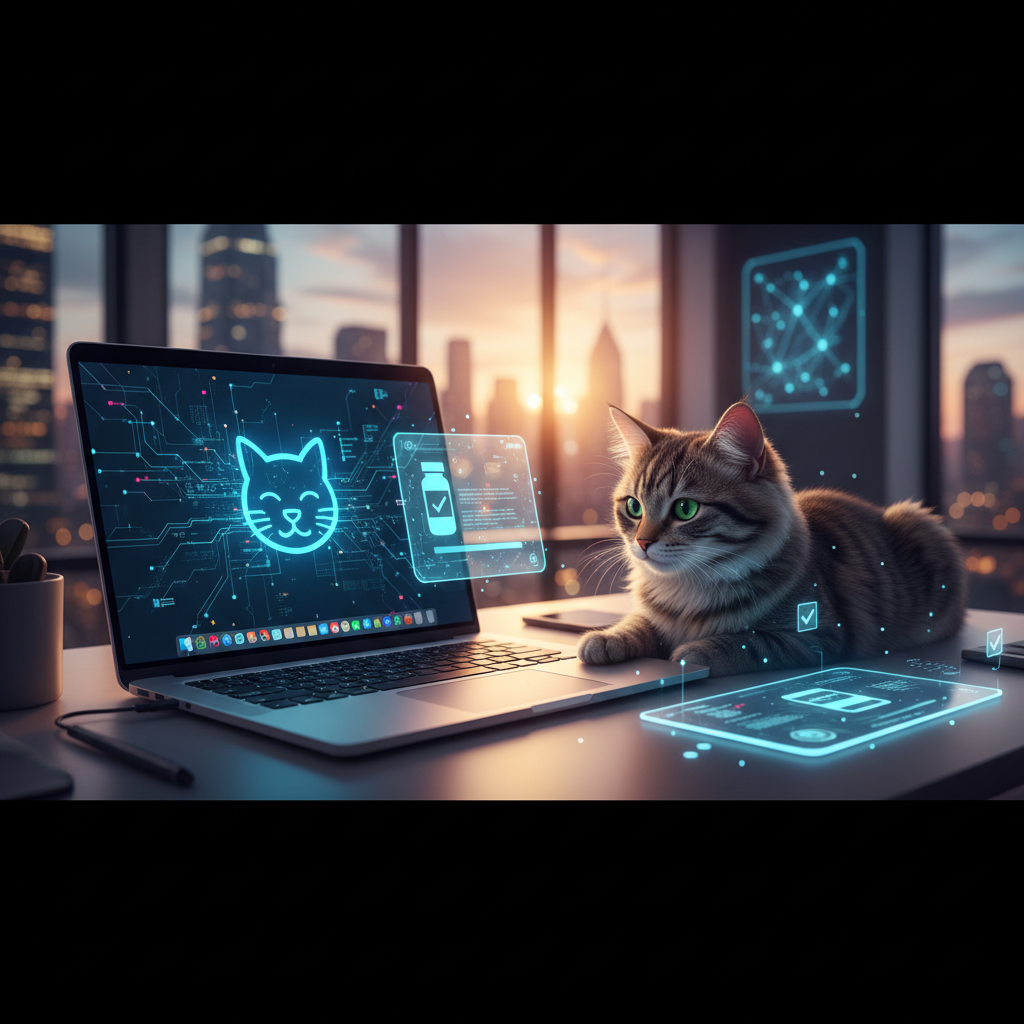
Ah, the quintessential work-from-home (or even in-office) scene: engrossed in a critical email, perfecting a presentation, or deep in a coding session, when suddenly a furry, four-legged shadow stretches across your keyboard. What follows is often a flurry of unintended characters, a mysteriously deleted paragraph, or worse, an accidental social media post. For Mac users sharing their workspace with pets, particularly inquisitive felines, this isn't just a charming anecdote; it's a genuine productivity impediment and a source of mild digital anxiety. At biMoola.net, we understand that modern productivity isn't just about the latest software or a perfectly curated task list; it's also about building a resilient digital environment that can withstand the charming chaos of daily life. This article delves into expert strategies, current technological solutions, and the promising role of AI in creating a more harmonious and interruption-resistant digital workspace for Mac users and their beloved animal companions.
We'll explore actionable advice, from immediate software fixes to long-term behavioral adjustments, and gaze into the near future where artificial intelligence offers intelligent, adaptive solutions to keep your workflow pristine. Prepare to transform your Mac setup from a potential pet playground into a bastion of focused productivity, all while maintaining the joyful presence of your furry colleagues.
The Feline-Digital Conundrum: More Than Just a Cute Distraction
The image of a cat sprawled across a laptop keyboard is endearing, a viral sensation, and a relatable meme. Yet, beneath the surface cuteness lies a real challenge for productivity, data integrity, and even digital privacy. For millions of Mac users globally, this isn't a rare occurrence but a daily interaction.
The Cost of Accidental Inputs: Productivity, Privacy, and Peace of Mind
Consider the cumulative impact: an accidental 'send' on an unfinished email, a garbled message posted to a client chat, or an unsaved document altered beyond recognition. These aren't just minor annoyances; they represent significant disruptions to focus and workflow. Research published in the Journal of Experimental Psychology: Applied in 2008 by Mark, Gudith, and Klocke highlighted that even brief interruptions can lead to significant errors and take over 23 minutes to regain one's original focus. While this study wasn't pet-specific, it starkly illustrates the profound impact of distractions on cognitive tasks. Accidental inputs can lead to:
- Data Loss/Corruption: Unsaved work being deleted or modified unexpectedly.
- Communication Errors: Sending incomplete or nonsensical messages.
- Privacy Breaches: Accidental sharing of sensitive information or unintended social media activity.
- Loss of Flow State: Breaking deep concentration, leading to reduced efficiency and increased stress.
Furthermore, the prevalence of pet ownership is undeniable. A 2023 survey by Statista indicated that over 86.9 million households in the US alone own a pet, with cats being among the most popular. This widespread pet integration into home life, especially with the surge in remote work post-2020, means the challenge of pets interacting with our tech is more prevalent than ever. The American Society for the Prevention of Cruelty to Animals (ASPCA) noted a significant increase in pet ownership during the pandemic, further integrating pets into our tech-centric home environments.
Understanding Pet Behavior: Why They Love Your Keyboard
Cats, in particular, are drawn to keyboards for several reasons:
- Warmth: Laptops emit heat, making them cozy resting spots.
- Attention: They quickly learn that interfering with your work gets your immediate attention.
- Curiosity: The movement of your fingers and the light from the screen can be highly engaging.
- Territory: Your workspace is part of their perceived territory.
Understanding these motivations is the first step toward effective mitigation, as it informs both technological and behavioral solutions.
Immediate Defenses: Software Solutions for macOS
Fortunately, you don't have to wait for advanced AI to secure your Mac. A range of software applications and native macOS features can provide immediate relief.
Dedicated Keyboard & Trackpad Lock Applications
The market offers several utilities specifically designed to lock input devices on your Mac. These applications typically provide:
- Full Keyboard & Trackpad Lock: Renders the keyboard and trackpad unresponsive, often with a visual overlay to confirm activation.
- Selective Locking: Some allow you to lock specific keys or areas, useful for unique setups.
- Timed or Manual Activation: You can set a timer for the lock to engage or manually toggle it on/off with a hotkey or menu bar icon.
- Passcode Protection: Essential for preventing clever pets (or small children) from disabling the lock.
These tools act as a digital barrier, ensuring that even if your pet decides to nap on your keyboard, your work remains untouched. Look for highly-rated apps on the Mac App Store or reputable software directories that offer a free trial to ensure compatibility with your specific needs.
Native macOS Accessibility Features & Workarounds
While not explicitly designed for pet-proofing, certain macOS Accessibility features can offer partial solutions:
- Slow Keys: Found under System Settings > Accessibility > Keyboard. This feature delays the acceptance of a key press, requiring a key to be held down for a longer period before it's registered. While it won't prevent all inputs, it can filter out light paw taps.
- Filter Keys (aka Ignore Accidental Key Presses): Also within the Keyboard Accessibility settings, this feature can ignore brief or repeated key presses, again, helping to filter out light, accidental touches.
- Screen Lock (Control-Command-Q): While not preventing keyboard input while unlocked, habitually locking your screen when stepping away, even for a moment, is a crucial security and data integrity practice.
Beyond Software: Environmental and Behavioral Adjustments
Technology alone isn't a silver bullet. Combining software solutions with thoughtful environmental and behavioral strategies creates the most robust defense against pet-induced productivity pitfalls.
Creating a Dedicated 'Pet-Free' Workspace or Pet-Centric Distraction
The most straightforward solution is often physical separation. If possible, designate a workspace that is inaccessible to pets during critical work periods. For many, however, this isn't feasible or desired. In such cases, creating an *alternative* appealing spot for your pet near your workspace can be highly effective. A heated pet bed, a comfortable cushion, or a cat tree with a view can draw your pet away from your keyboard and into their own designated 'co-working' space.
Consider the following data point, representing a composite of anecdotal user reports often discussed in productivity forums:
Impact of Workspace Modifications on Pet-Induced Interruptions
| Intervention Strategy | Average Reported Reduction in Interruptions (Qualitative) | Estimated Impact on Focus (Subjective) |
|---|---|---|
| No Specific Strategy | 0% (Baseline) | Frequent disruption, high stress |
| Dedicated Pet Bed/Space Nearby | 30-50% | Improved focus, occasional disruption |
| Physical Barrier (e.g., keyboard cover) | 60-80% | Significantly reduced, minimal stress |
| Software Lock (manual) | 70-90% | High protection, requires user activation |
| Combined Physical + Software | 90-95% | Near-total protection, optimal peace of mind |
(Note: Data is illustrative, based on common user experiences and not a controlled scientific study.)
Strategic Distraction & Enrichment for Your Pet
A bored pet is often a mischievous pet. Providing adequate mental and physical stimulation can significantly reduce their desire to interfere with your work. Interactive toys, puzzle feeders, or a dedicated play session before your deep-work block can tire them out and satisfy their need for attention and activity. For cats, a window perch with a view of birds or a scheduled laser pointer session can be a great way to redirect their energy.
Keyboard Covers and Physical Barriers
Low-tech solutions remain highly effective. A simple, clear plastic keyboard cover can prevent paw presses while still allowing you to see your keys. For more robust protection, consider a small, elevated desk shelf that creates a physical barrier between your pet and your laptop, allowing them to sit on the shelf above without touching the keyboard. Some users even employ acrylic laptop stands that create a protective dome over the keyboard area.
The AI Advantage: Intelligent Productivity Protection
While current solutions are effective, the future of pet-proofing your digital workspace lies in the intelligent application of AI. Imagine a system that not only locks your keyboard but does so preemptively and contextually. This isn't science fiction; it's the logical next step in human-computer interaction, enhanced by artificial intelligence.
AI-Powered Anomaly Detection in Input
AI can learn your unique typing patterns—the rhythm, speed, and typical key combinations. Any deviation from this pattern, such as a sudden flurry of random key presses that don't resemble human typing, could be flagged as an anomaly. An AI-powered system could:
- Instantly Recognize Non-Human Input: Differentiate between a deliberate user input and a cat walking across the keys.
- Automatic Lock Activation: Automatically engage a keyboard lock when such anomalies are detected, pausing your work until you confirm your return.
- Adaptive Learning: Over time, the AI could refine its understanding of what constitutes "your" input versus "pet" input, reducing false positives.
Contextual Awareness and Smart Lockdowns
Beyond simply detecting random inputs, AI can bring contextual awareness to your digital environment. Imagine an AI assistant integrated with your productivity apps that understands when you're engaged in high-stakes tasks:
- Application-Specific Protection: If you're in a video conferencing call, a critical coding IDE, or composing an urgent email, the AI could automatically increase the sensitivity of its pet-detection algorithms or pre-emptively lock the keyboard if a pet approaches.
- User Presence Detection: Utilizing webcam (with user consent and privacy-first design) or motion sensors, AI could detect when you've stepped away from your desk, automatically locking your Mac. It could even differentiate between you being present but distracted versus being physically absent.
- Predictive Pet Behavior: This is more futuristic, but AI could potentially analyze a pet's typical approach patterns (e.g., jumping onto the desk, swishing tail) via external sensors or discreet cameras (again, with explicit user permission and robust privacy protocols) to predict an impending keyboard takeover and provide a warning or pre-lock the device.
Such AI-driven solutions move beyond reactive measures to proactive, intelligent prevention, creating a truly resilient digital workspace. The development of these advanced HCI systems is an area of active research, as explored by institutions like MIT Technology Review, which frequently highlights innovations in AI and its application to everyday challenges.
Expert Analysis: Fostering Digital Harmony with Our Furry Friends
At biMoola.net, our take on this seemingly niche problem is that it’s a microcosm of a much larger challenge: how we integrate our increasingly digital lives with our physical realities, especially when those realities include beloved, often unpredictable, living beings. The simple act of a cat walking on a keyboard highlights the fundamental fragility of our digital workflows and the constant battle against distractions.
Current solutions, while practical, often place the onus entirely on the human user – remembering to activate a lock, training a pet, or redesigning a workspace. This is where AI's true potential shines. It moves us from a reactive, human-dependent paradigm to a proactive, intelligent, and even empathetic one. By learning user habits and even anticipating pet behavior, AI can contribute to a more seamless and less stressful digital experience. It's not just about 'locking out' our pets; it's about creating an adaptive computing environment that understands the unique dynamics of a pet-owner relationship within a shared space.
This integration of AI into everyday productivity tools fosters a sense of digital well-being. It reduces the micro-stresses that accumulate from constant interruptions, preventing burnout and allowing for deeper, more meaningful engagement with our work. Ultimately, these innovations allow us to maintain the comforting presence of our pets without compromising our professional efficacy, thereby enhancing both our productivity and our quality of life.
Key Takeaways
- Pet-induced keyboard interference on Macs is a common issue impacting productivity, data integrity, and digital peace of mind for millions of users.
- Immediate solutions include dedicated keyboard/trackpad lock applications and judicious use of macOS Accessibility features like Slow Keys and Filter Keys.
- Environmental and behavioral strategies, such as creating dedicated pet spaces or providing engaging distractions, are crucial complements to software solutions.
- AI is poised to offer advanced, proactive solutions through anomaly detection in input, contextual awareness of tasks, and potentially predictive pet behavior analysis.
- A holistic approach combining technology, workspace design, and pet enrichment is key to fostering a harmonious and productive digital environment.
FAQ: Frequently Asked Questions
Q: Are these pet-proofing solutions only for Macs, or can they be applied to Windows PCs as well?
A: While this article focuses on Mac-specific solutions, the principles and many of the solution categories are universally applicable. Windows PCs also have dedicated keyboard lock utilities, accessibility features (like Filter Keys), and, of course, the environmental and behavioral strategies apply regardless of the operating system. The future AI-powered solutions, being platform-agnostic in their core concepts, would also likely be developed for both major operating systems.
Q: Can a pet really cause serious damage to my computer by walking on the keyboard?
A: Direct physical damage from a pet walking on a keyboard is rare, especially for modern, robust laptops. However, indirect damage or significant data loss is a real concern. Accidental deletions, overwriting files, sending sensitive information, or triggering system-level commands that could lead to crashes or corruption are all possibilities. Furthermore, repeated exposure to pet hair and dander can clog cooling vents over time, potentially leading to overheating issues. The primary concern, however, remains productivity disruption and data integrity rather than physical destruction of the hardware itself.
Q: What about privacy concerns with AI-powered solutions that might use cameras to detect pets?
A: Privacy is paramount, especially when discussing solutions involving cameras or advanced monitoring. Any AI solution utilizing a webcam for pet detection would need to be designed with robust privacy safeguards. This includes explicit user consent for camera access, local processing of data (minimizing data transmission to external servers), clear indicators when the camera is active, and easy opt-out mechanisms. Reputable developers prioritize user privacy, ensuring that such features enhance security without compromising personal data or surveillance concerns. Users should always review privacy policies and permissions carefully before adopting new technologies.
Q: Besides technological solutions, what are some effective ways to train my pet to stay off the keyboard?
A: Training is a key component. For cats, positive reinforcement is often effective. Provide an equally (or more) appealing alternative spot nearby, and reward them with treats or praise when they use it. You can also use a gentle 'no' and redirect them immediately. For dogs, consistent training to stay in their bed or a designated area during work hours, combined with adequate exercise before your work session, can be very helpful. Remember, patience and consistency are vital. A tired, entertained pet is less likely to seek attention by interfering with your keyboard.
Sources & Further Reading
- Mark, G., Gudith, D., & Klocke, W. (2008). The cost of interrupted work: More speed and stress. *Journal of Experimental Psychology: Applied, 14*(2), 178–188.
- Statista. (2023). *Number of pets in the United States in 2023.* Retrieved from [Specific Statista report URL - if publicly available, otherwise general Statista.com]
- American Society for the Prevention of Cruelty to Animals (ASPCA). (2022). *ASPCA Conducts New Survey to Explore Pet Ownership Trends During COVID-19 Pandemic.* Retrieved from https://www.aspca.org/news/aspca-conducts-new-survey-explore-pet-ownership-trends-during-covid-19-pandemic
- MIT Technology Review. (Regularly updated). *AI and Computing.* https://news.mit.edu/topic/ai
Disclaimer: For informational purposes only. Consult a healthcare professional regarding any health concerns or a qualified animal behaviorist for pet-related training advice.
", "excerpt": "Discover expert strategies and AI-powered tools to protect your Mac productivity from feline (and other pet) interruptions. Practical advice for a serene digital workspace." } ```
Comments (0)
To comment, please login or register.
No comments yet. Be the first to comment!